Before you approve
Where this falls short of your board
Your board looks like AI-generated photoreal renders: server halls with real reflections, volumetric light and lens depth. HTML gets the layout, the UI, the light streams and the glow, as these stills show. It does not get photoreal materials. The corridors (01A, 01D) and the maze (02E) are the furthest from your board.
One way to close that gap: generate 3–4 photoreal background plates in your image app (corridor, maze city, monitor field). I write the prompts. Then I put real, sharp HTML UI on top with parallax camera moves. Generated stills don't move, so we get depth with a 2.5D push on each plate, not a full fly-through.
Changes I made to your board, and why
- Real logo. Your board uses a generic three-bar icon for MeasureScale. Every frame uses the real six-dot logo instead.
- Copilot → Cursor. The site lists Claude, ChatGPT, Gemini, Cursor and Claude Code. Copilot isn't supported, so the AI tiles are ChatGPT, Claude, Gemini and Cursor.
- Numbers made consistent. On your board, clicks are 24.8K up 12.3% in 01C but down 28.6% in Q2. Both now show down 28.6%, so the drop is already visible in scene 1.
- End card AI. Your board shows GA + GSC → ChatGPT only. I show all four AI tiles, so it doesn't read as ChatGPT-only. One tile is possible if you prefer.
Decisions I need from you
- Background plates? Pure HTML as shown, or generated photoreal plates for 01A, 01D, 02E and 05B (my recommendation for your look)?
- Google logos and UI. Your board recreates the GA4 and Search Console screens with their logos. The site already uses both logos (
analytics.svg,search-console.svg), so I used them. The screens are close lookalikes, not copies. Please confirm this is OK with whoever signs off brand use. - CTA colour. Your board's button is blue. The site's CTA token is teal
#00897B. I followed your board. Blue or teal? - Free plan vs Analytics. The free plan is Search Console only (likely still true). The film shows Analytics answers and then "Get Started Free". Keep it?
- Voice and music. Hope or dfeOmy6Uay63tNhyO99j? And do you have a music track?
Visual direction, from your board
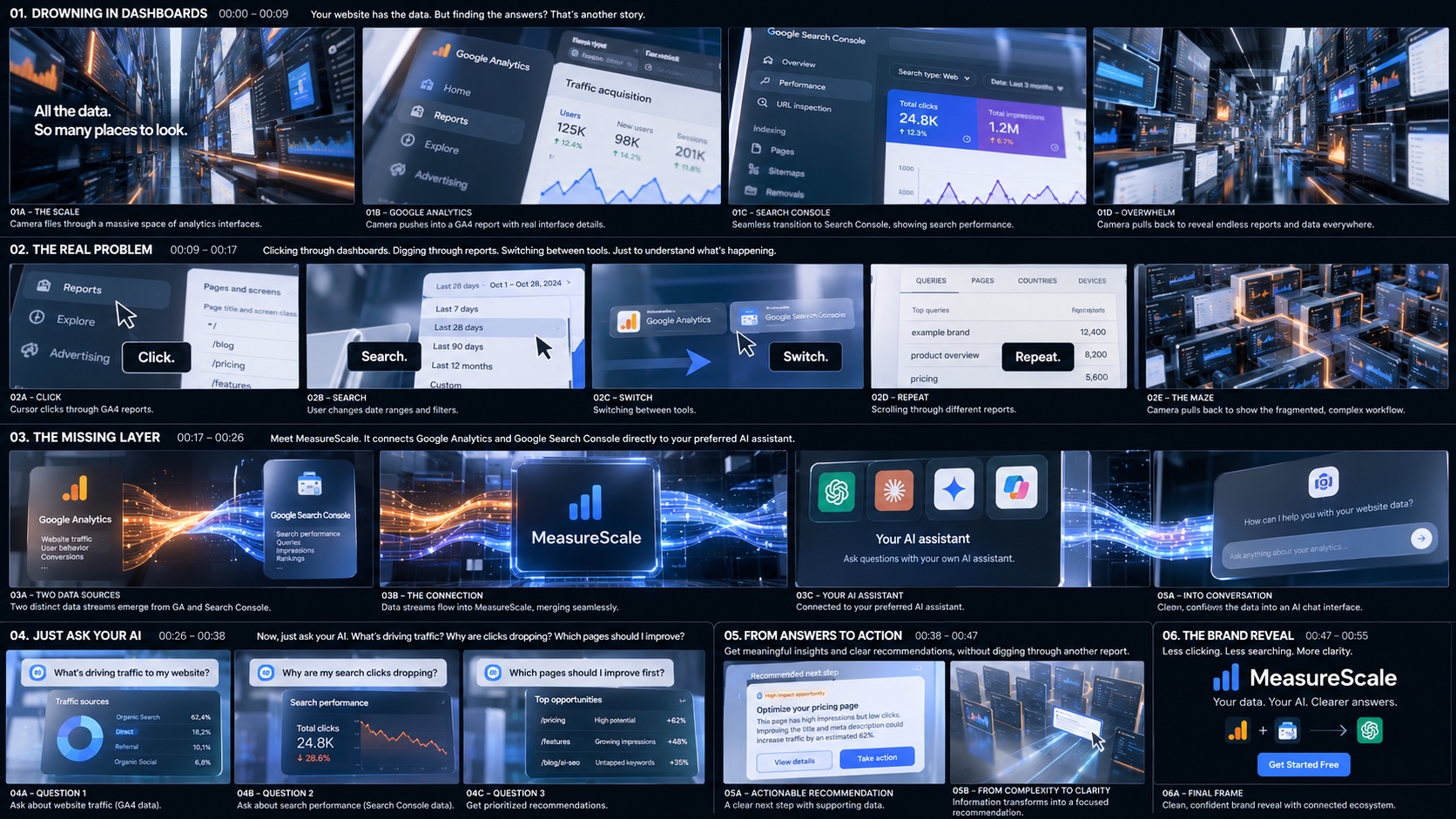
Your board, saved as assets/ref/kabir-board-original.jpg.
World
- Deep navy to black, with blue haze and vignette, plus fine film grain.
- Halls and blocks of dark monitors. Orange neon shelf strips and floor lines, cool white ceiling bars.
- Tool screens are light and readable, seen through glare and in perspective.
Colour logic
- Orange = Google Analytics (its logo colours), blue = Search Console.
- The two light streams braid together inside MeasureScale and leave as one blue stream.
- Data cards are dark glass. Recommendations are bright white cards, so the answer is the lightest thing on screen.
Type and labels
- Fustat (brand font).
- Scene 2's words sit in black pill labels, as on your board.
- Scene 1 and scene 5 lines are large white type with a soft dark shadow.
- The three questions are frosted pills with the MeasureScale star.
Camera and motion
- Scene 1: a continuous fly-through, a push into GA4, a slide to Search Console, then a pull back.
- Scene 2: close, cursor-led cuts on the beat.
- Scenes 3–4: a single camera move that follows the light streams.
- Light streams flow continuously (particles drift along the strands). UI lands with a short spring. Fast moves get motion blur.
1:1 strategy
- Centre crop (x 420–1500) of the 16:9 master, with re-layouts where noted on each frame. Turn on "Show 1:1 crop" to check.
- Needs re-layout: 01A copy, 02C tiles, 03A cards, 05A side cards.
Sound (from the script)
- Interface clicks build into a rhythm (scenes 1–2) and stop dead at the maze.
- A refined connection sound and a musical lift at MeasureScale.
- Typing and data accents in scene 4. More space in scene 5. A clean resolve on the end card.
Scene 01 · 00:00–00:09
Drowning in Dashboards
Voiceover"Your website has the data. But finding the answers? That's another story."
All the data.So many places to look.
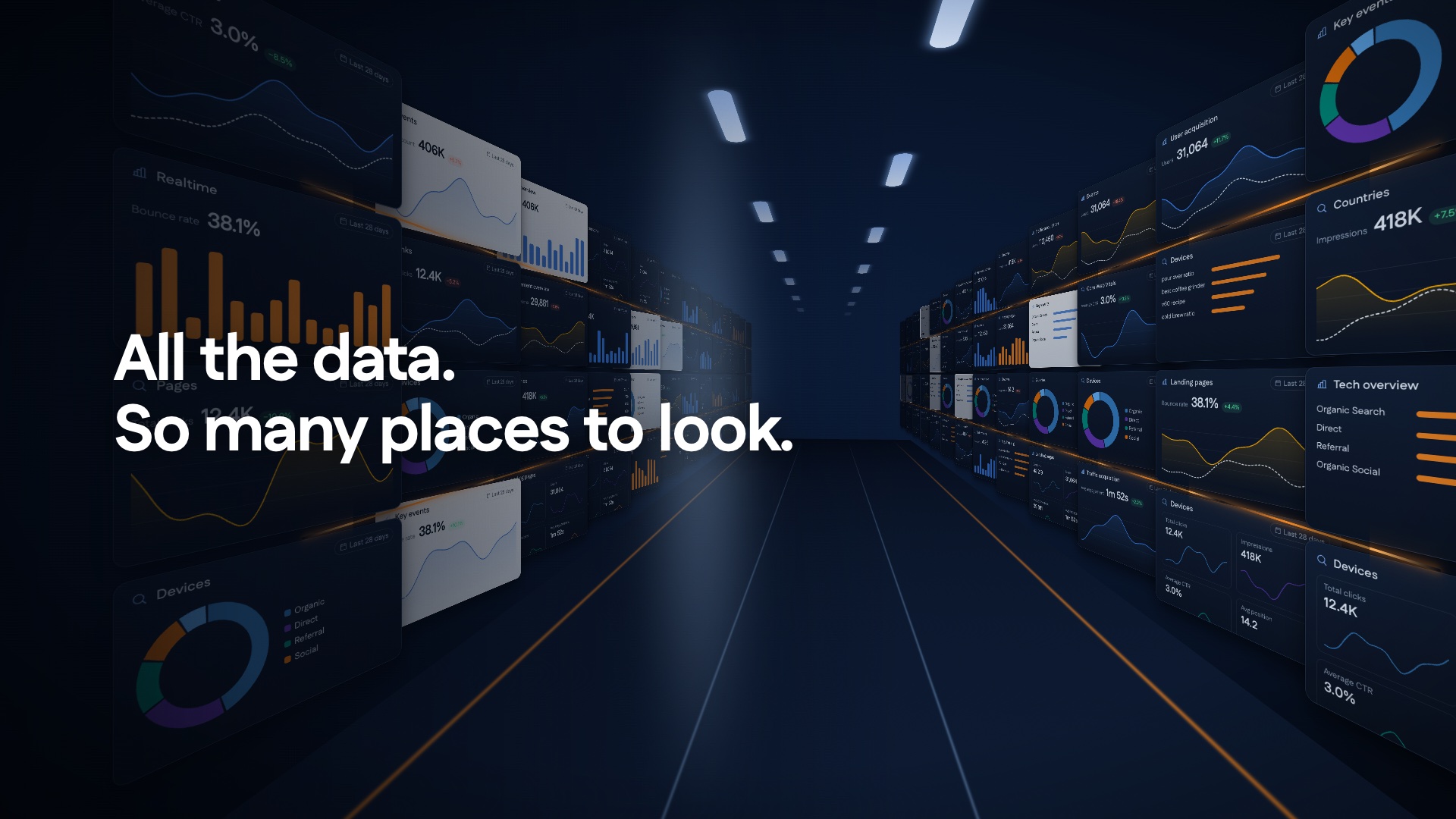
01A: The scale
0.0 to 2.4s
- Visual
- A hall of monitors on both sides, orange neon shelves, ceiling light bars and a bright vanishing point. "All the data." then "So many places to look."
- Motion
- The camera flies forward and speeds up, with a slight yaw. The two lines blur up in turn, the second on "But finding the answers?".
- Out
- The camera turns into one monitor on the right. Its screen becomes 01B.
- Sound
- Interface ticks start the rhythm.
1:1: centre the copy over a darker band.
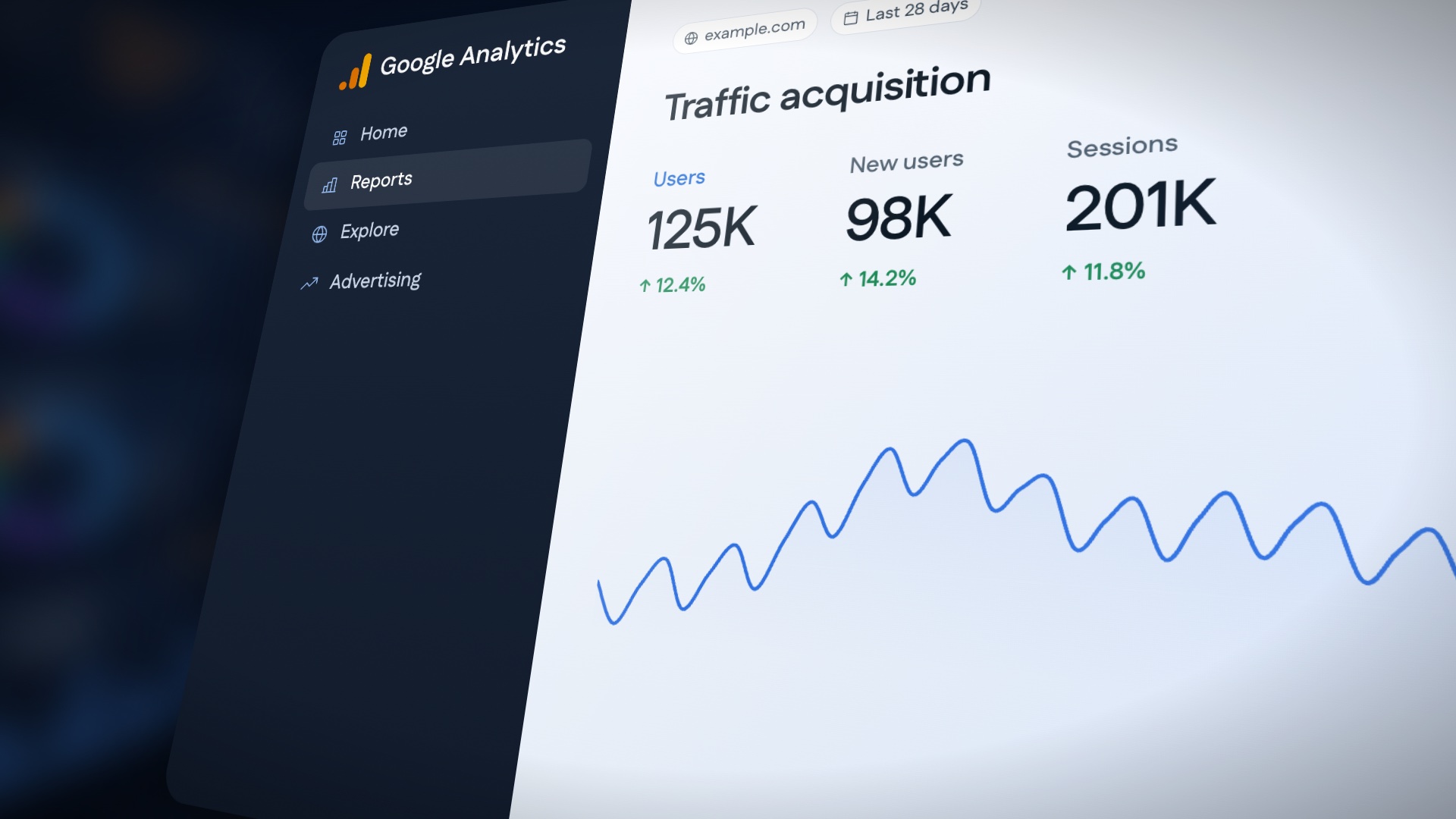
01B: Google Analytics
2.4 to 4.6s
- Visual
- A GA4-style report in strong perspective. Dark sidebar (Home, Reports, Explore, Advertising), with Traffic acquisition and Users 125K, New users 98K and Sessions 201K, plus a trend line.
- Motion
- A slow push-in and roll. The numbers count up and the line draws across. Glare slides over the screen.
- Out
- A whip pan right into 01C.
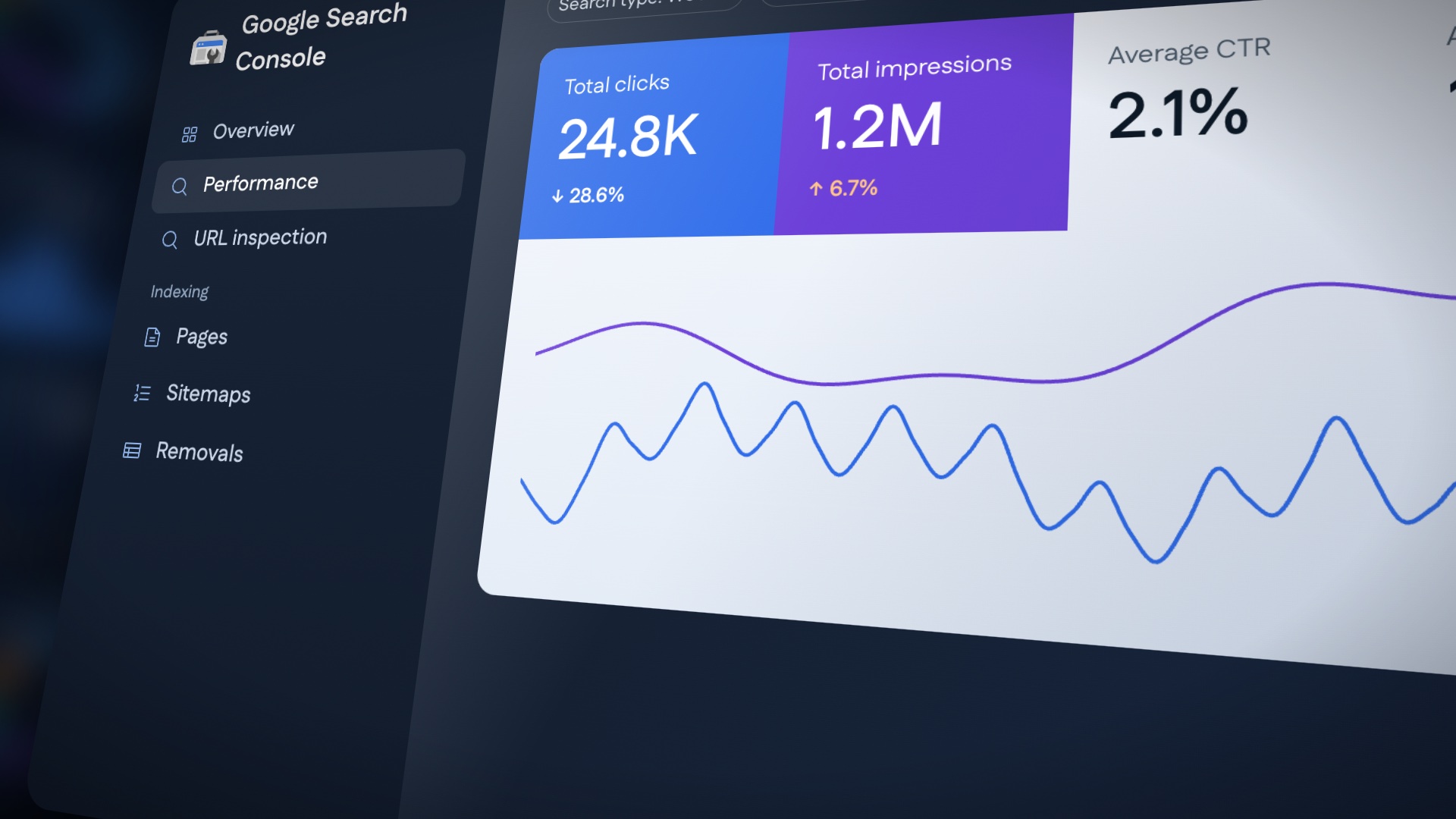
01C: Search Console
4.6 to 6.8s
- Visual
- A Search Console-style Performance view: Total clicks 24.8K (↓ 28.6%, the problem is already there), Total impressions 1.2M, CTR and Position.
- Motion
- The match cut lands as the sidebars align. The camera drifts down the cards and the chart draws.
- Out
- A sudden pull back through the screen.
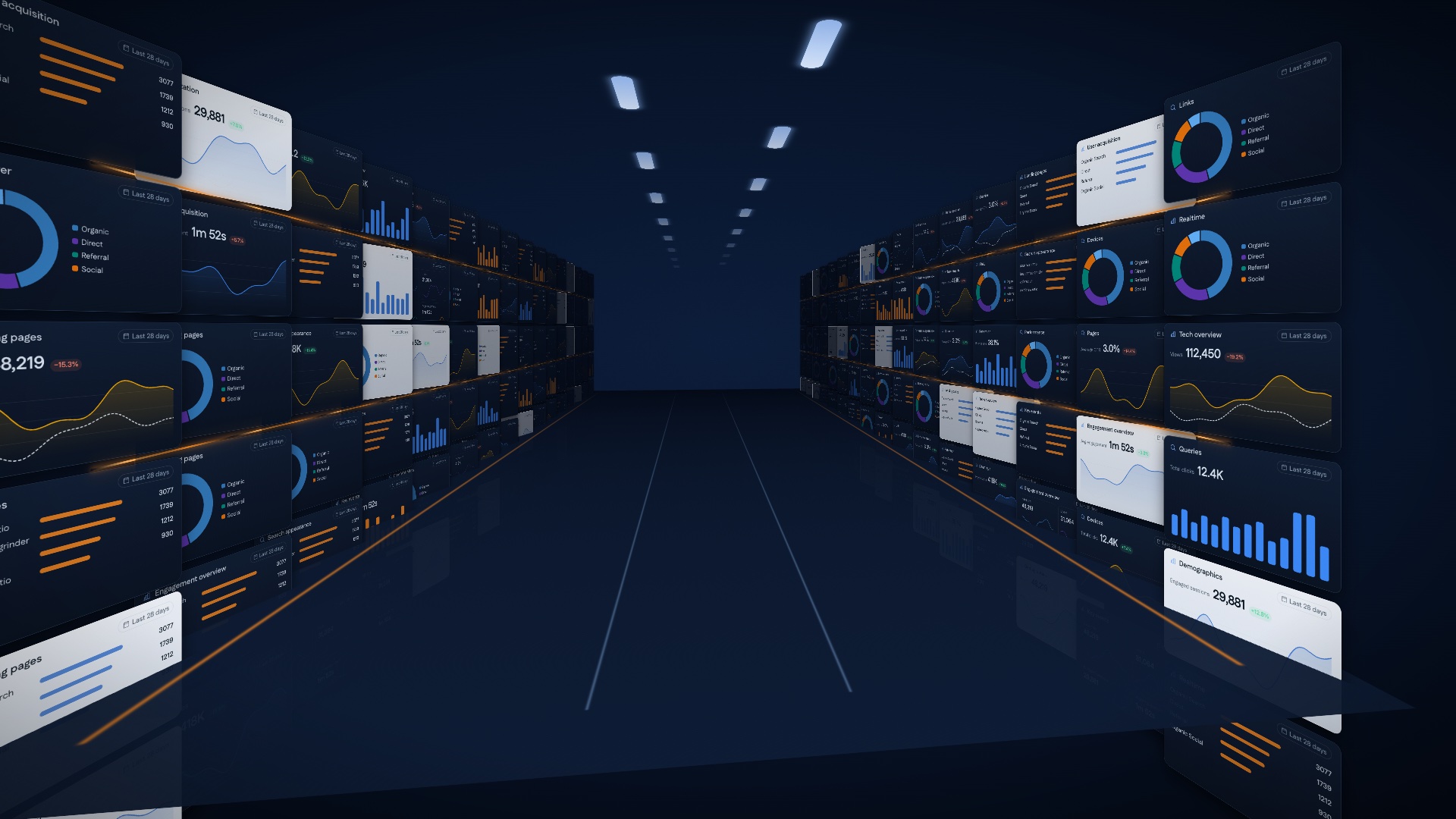
01D: Overwhelm
6.8 to 9.0s
- Visual
- The pull back reveals that the screen was one monitor in a much bigger hall: six storeys of reports, stretching away.
- Motion
- A 2 s expo pull back. Monitors flicker on in waves toward the camera.
- Out
- The camera drops into a close-up of the GA sidebar (02A).
- Sound
- The rhythm gets denser.
Scene 02 · 00:09–00:17
The Real Problem
Voiceover"Clicking through dashboards. Digging through reports. Switching between tools. Just to understand what's happening."
Click.Search.Switch.Repeat.
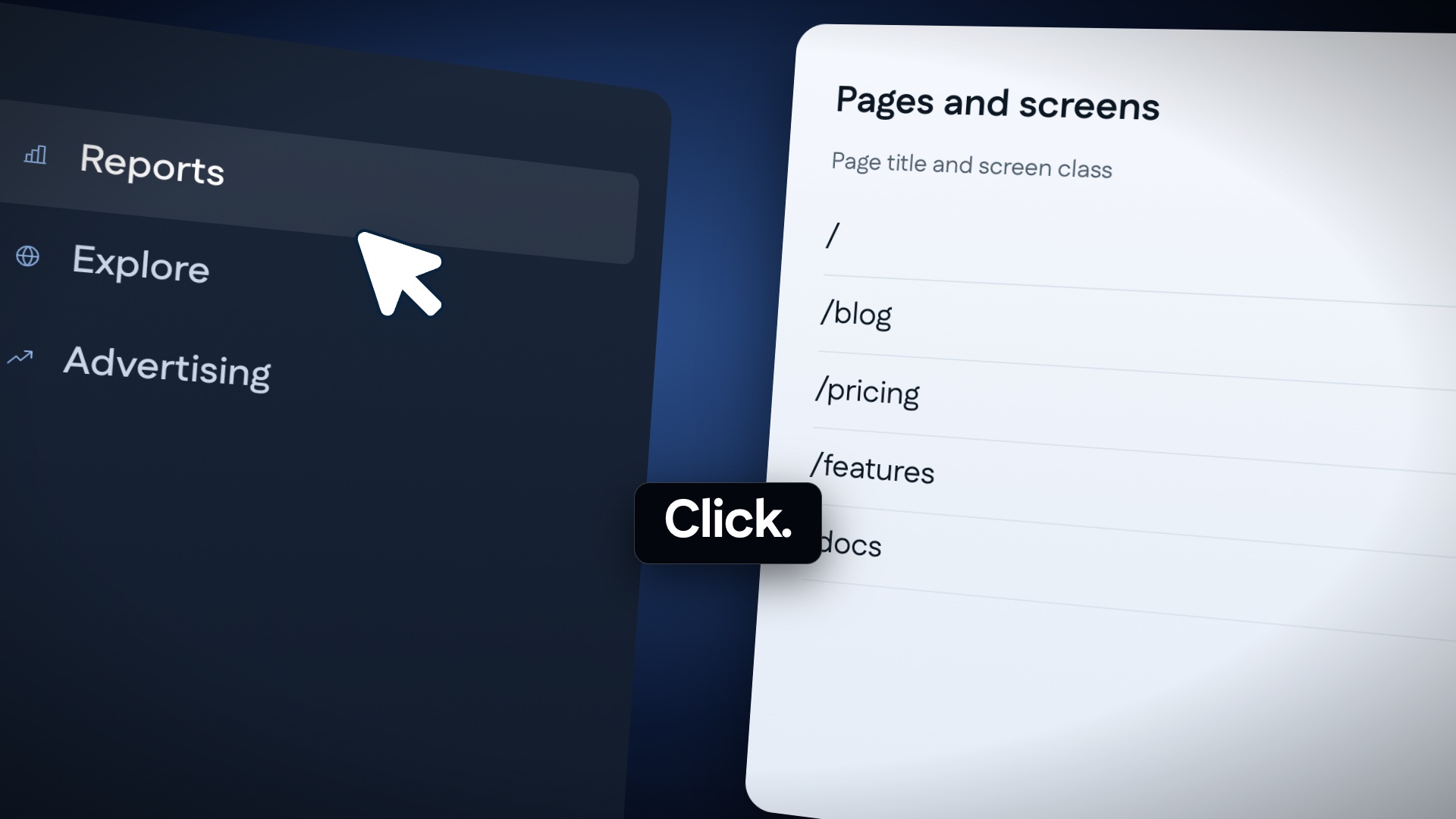
02A: Click
9.0 to 10.6s
- Visual
- A macro of the GA sidebar. The cursor hits Reports, and Pages and screens opens (/, /blog, /pricing, /features).
- Motion
- The cursor presses on the beat and the list slides in. The "Click." pill snaps in with a 4-frame scale.
- Sound
- A click on the beat.
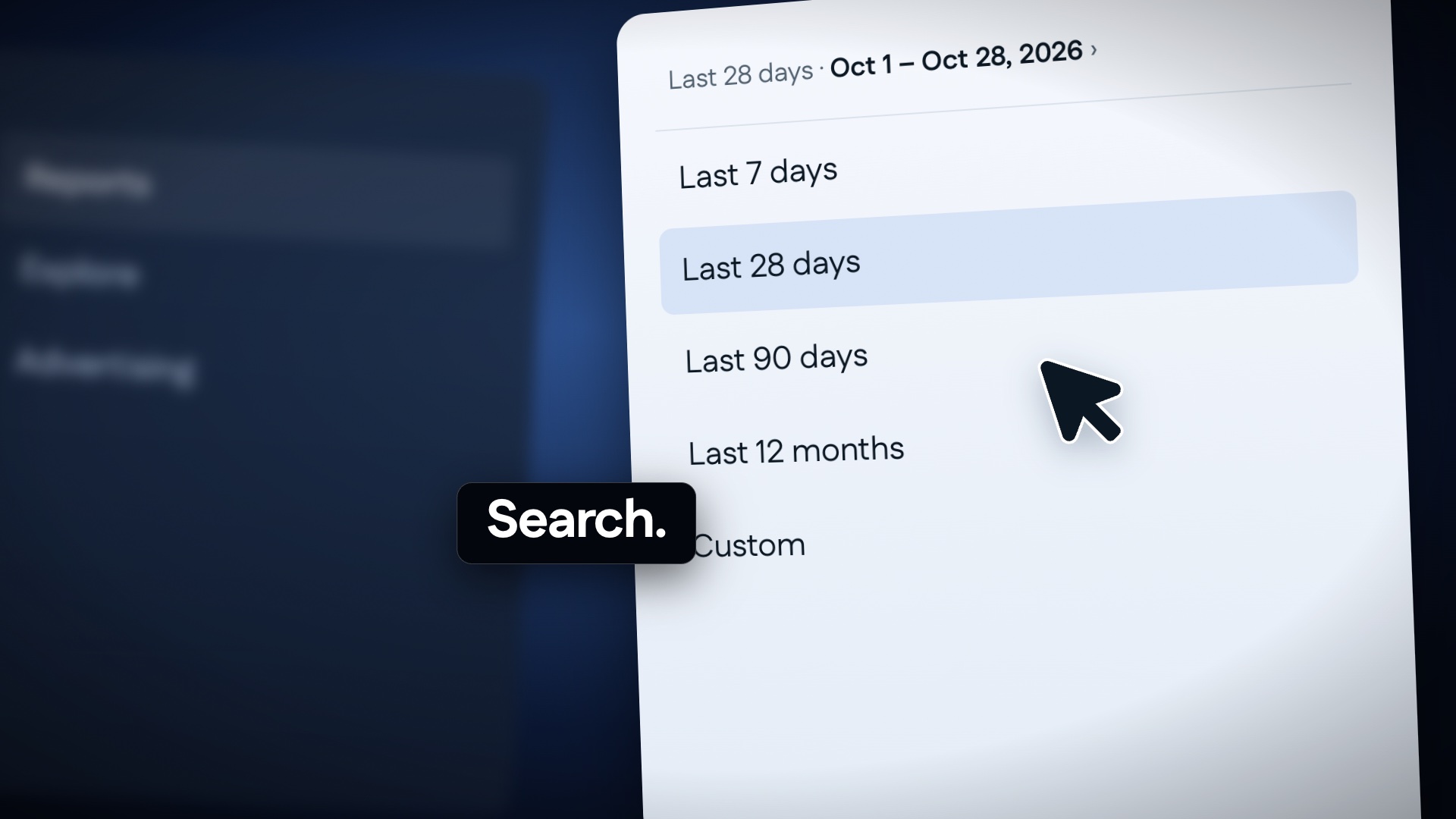
02B: Search
10.6 to 12.2s
- Visual
- The date range menu: Last 7 / 28 / 90 days / 12 months / Custom. The previous screen is blurred behind it.
- Motion
- The menu drops open and the highlight steps through the options under the cursor. The pill swaps to "Search.".
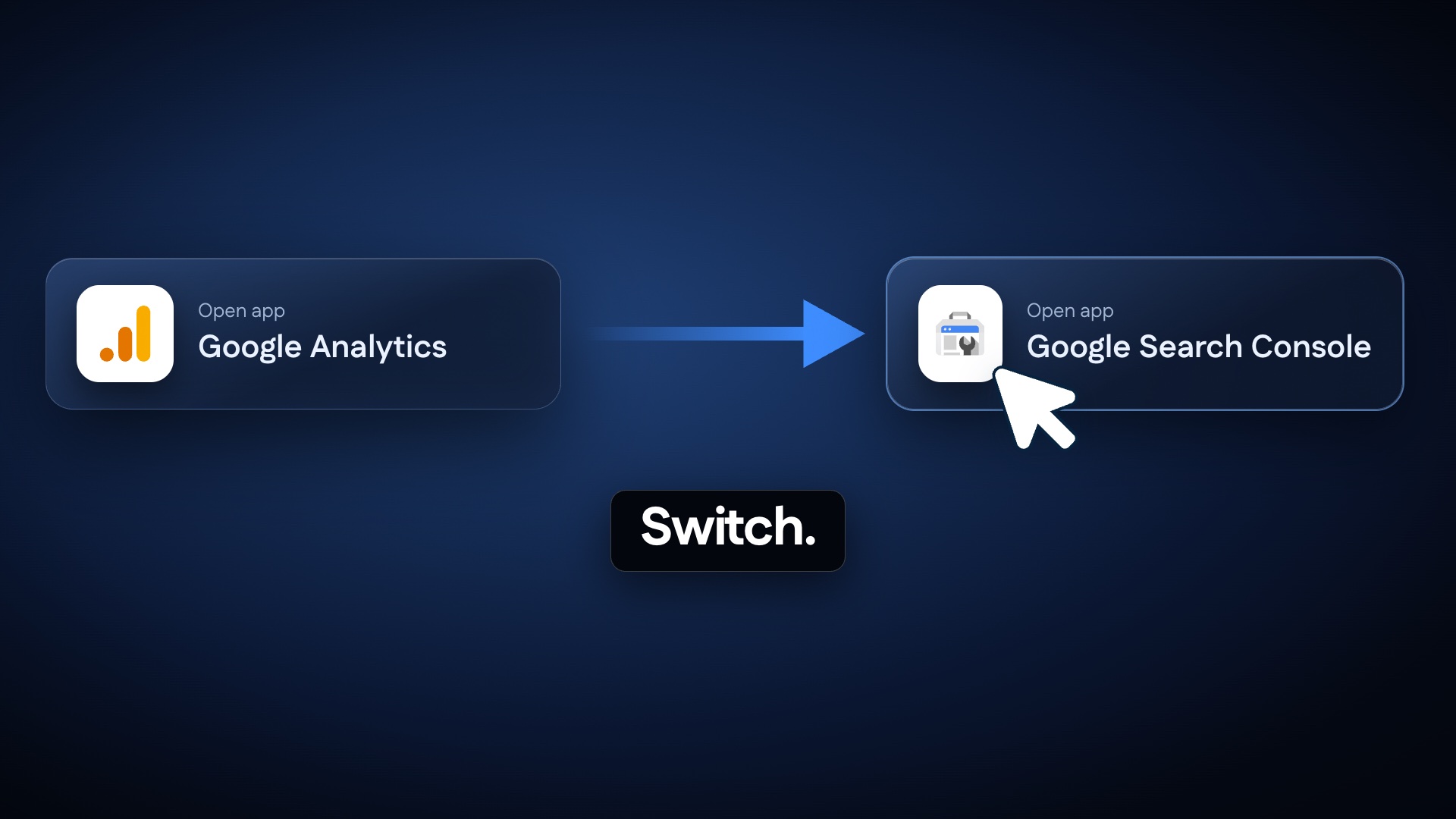
02C: Switch
12.2 to 13.8s
- Visual
- Two app chips, Google Analytics and Google Search Console, with a blue arrow from one to the other. The cursor clicks GSC.
- Motion
- The arrow shoots right and the cursor follows. The chips swap focus, with a sideways whip.
1:1: stack the chips vertically, with the arrow pointing down.
02D: Repeat
13.8 to 15.4s
- Visual
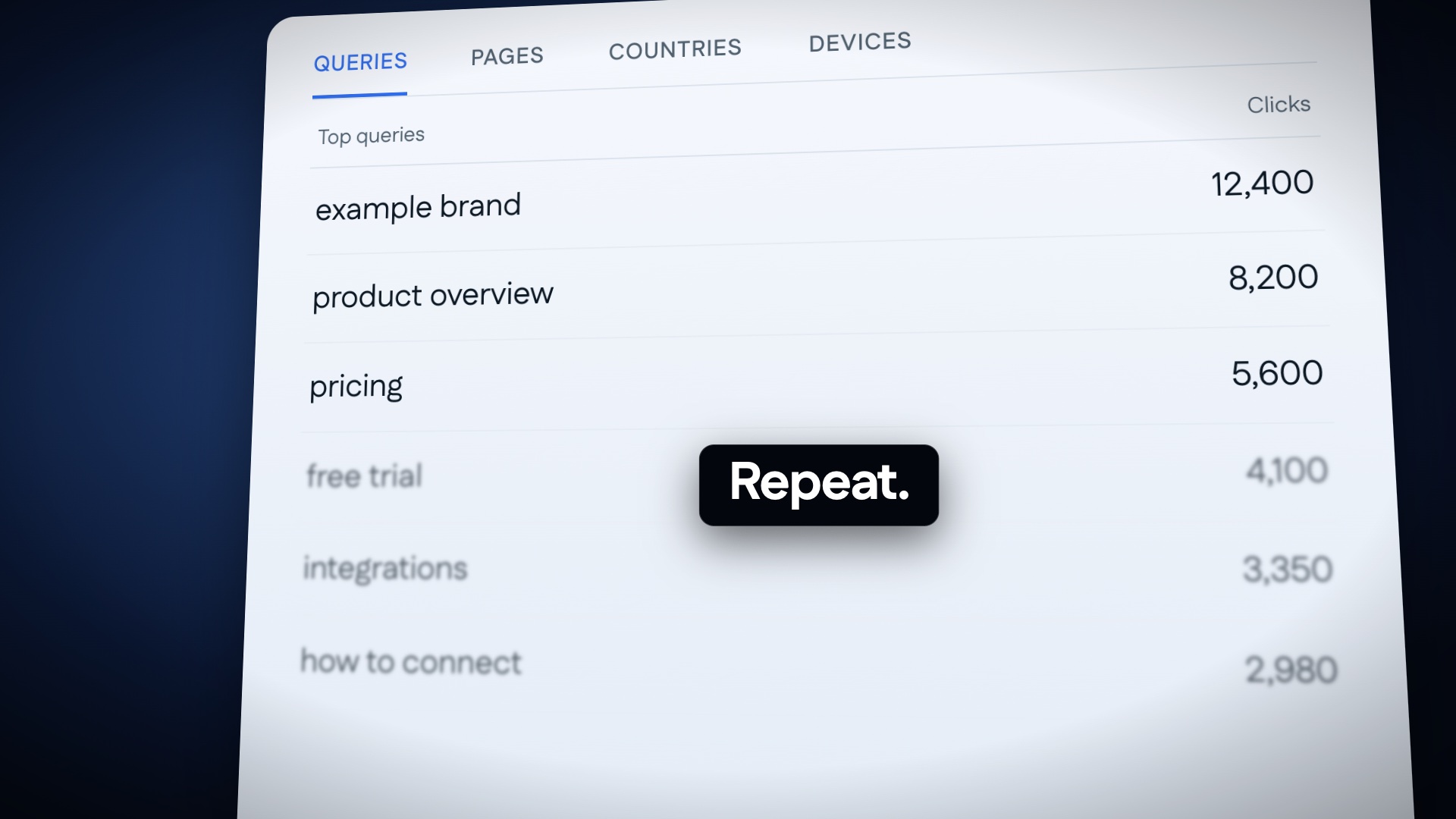
- The Queries table (example brand 12,400, product overview 8,200, pricing 5,600). The lower rows blur as they scroll.
- Motion
- The list scrolls, snaps back to the top and scrolls again: a visible loop. The pill swaps to "Repeat.".
- Out
- The camera pulls straight up and away.
02E: The maze
15.4 to 17.0s
- Visual
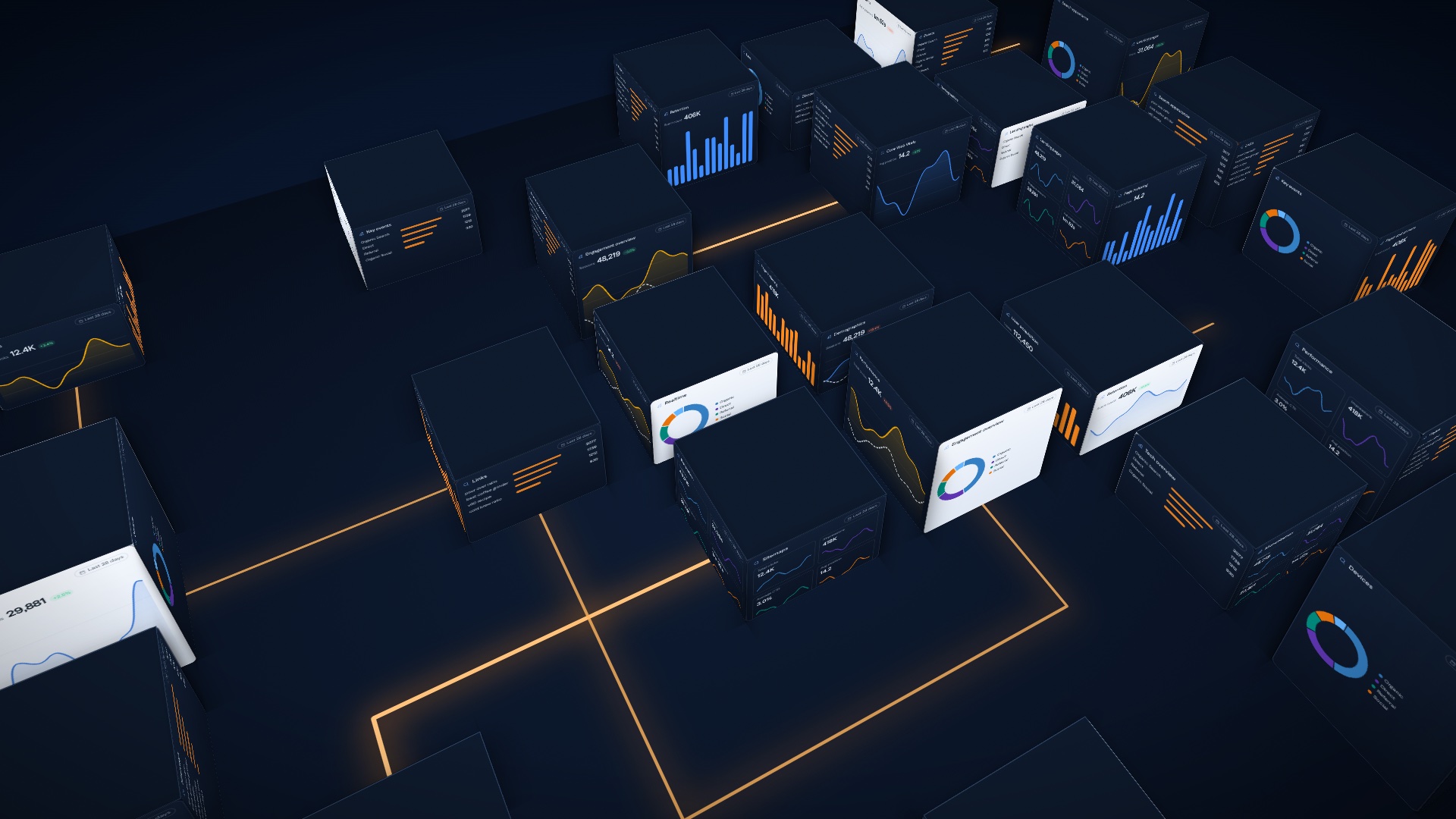
- From above, the tools have become a city of monitor blocks. Orange light paths trace the workflow through the maze and loop back on themselves.
- Motion
- The camera rises and rotates while the paths draw on. At 16.6 s everything freezes and the camera keeps rising into empty dark.
- Sound
- The clicks stop dead. Silence.
Scene 03 · 00:17–00:26
The Missing Layer
Voiceover"Meet MeasureScale. It connects Google Analytics and Google Search Console directly to your preferred AI assistant."
Google AnalyticsGoogle Search ConsoleMeasureScaleYour AI Assistant
03A: Two data sources
17.0 to 19.6s
- Visual
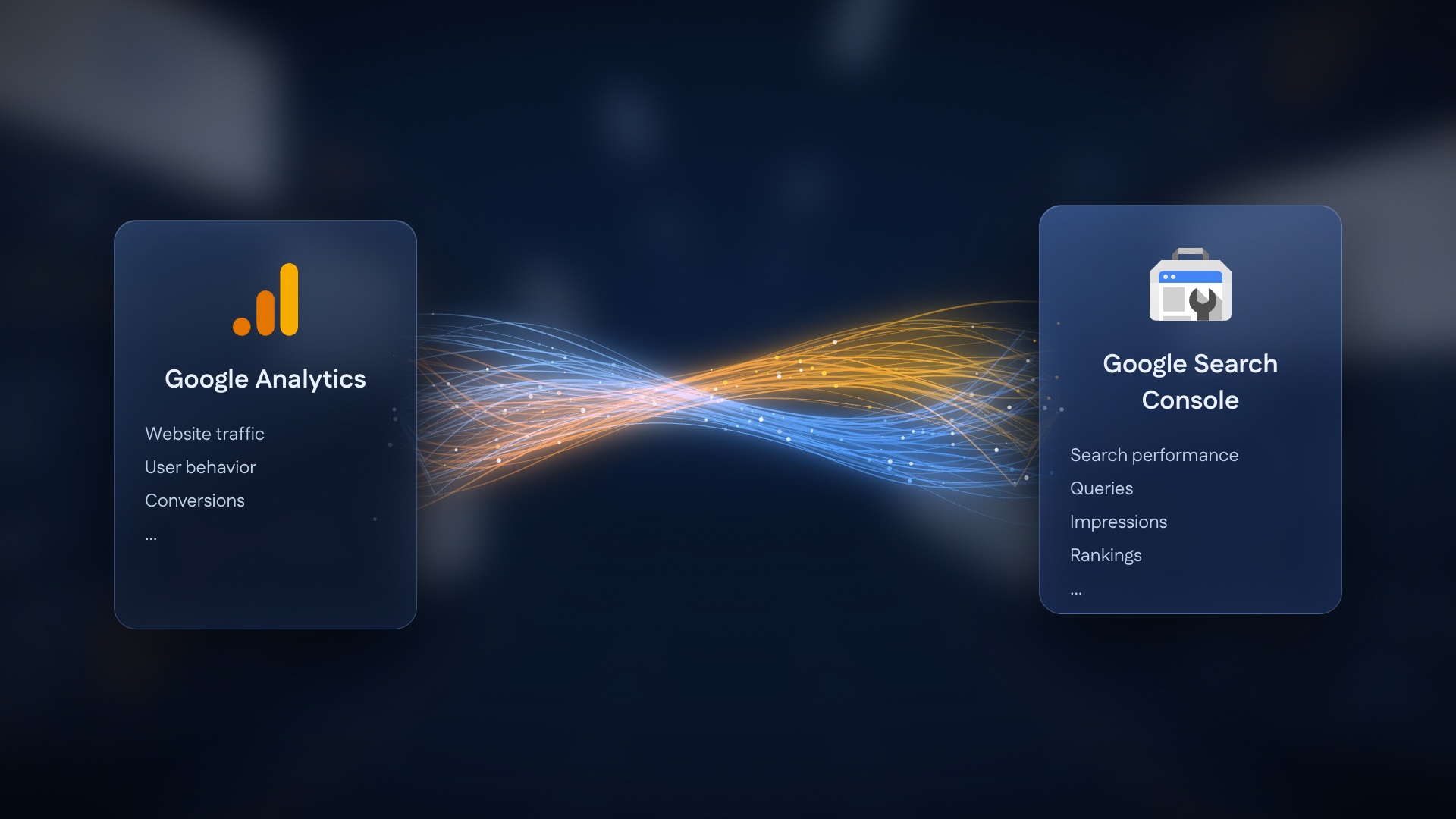
- Glass cards for Google Analytics (traffic, behaviour, conversions) and Google Search Console (performance, queries, impressions, rankings). An orange stream and a blue stream pour out and twist together.
- Motion
- Out of the silence, the cards light up one after the other, then the strands shoot across with particles running along them.
- Sound
- The music comes back with a swell.
1:1: move the cards inward (x 440 / x 1080), shrinking them to 340 px wide.
03B: The connection
19.6 to 22.2s
- Visual
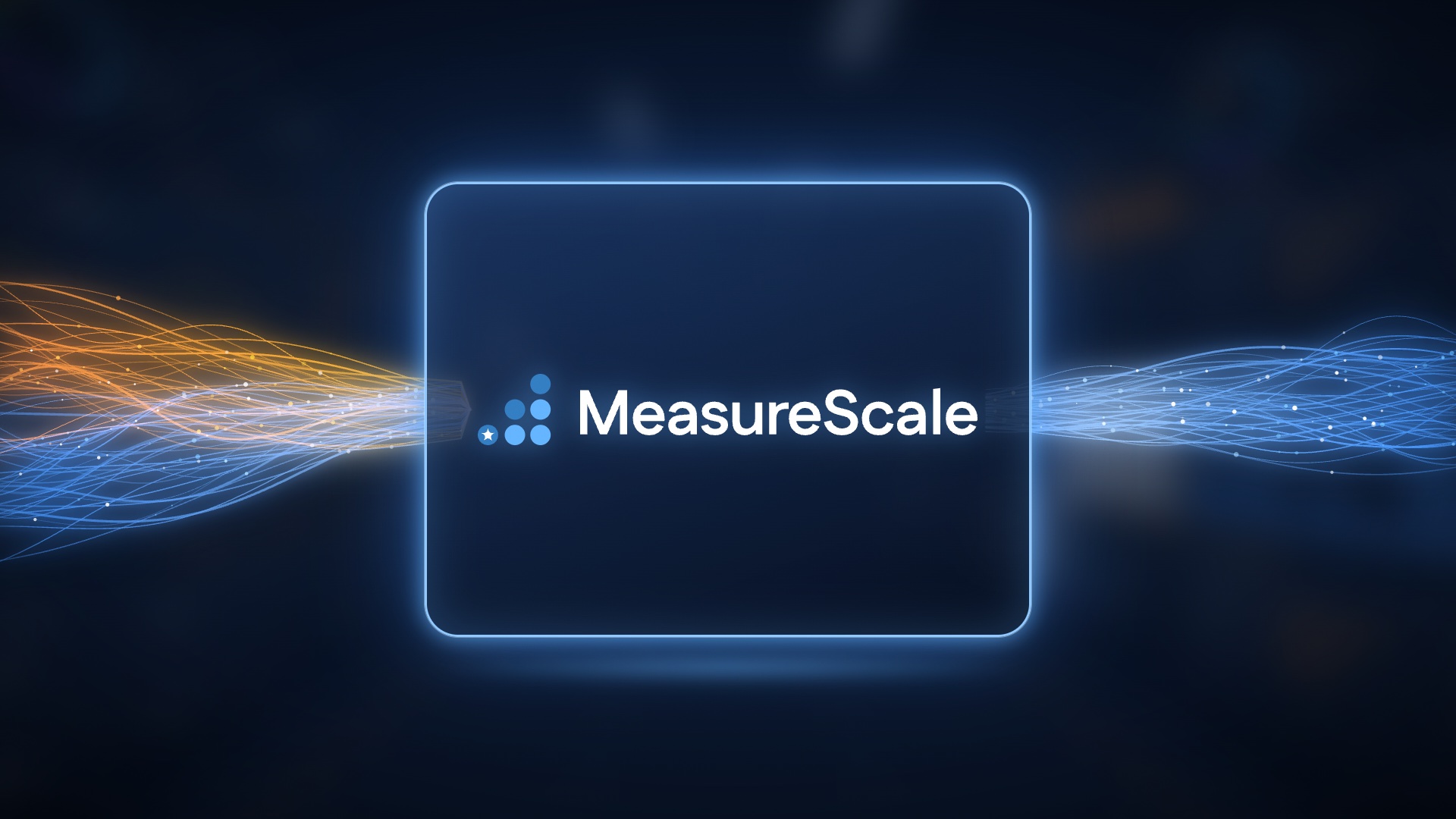
- A glass tile with a neon blue edge, holding the real MeasureScale logo. Orange and blue enter from the left, and one merged blue stream leaves on the right.
- Motion
- The tile lights from the inside as the streams reach it, and the edge glow pulses once. The logo dots pop in staircase order, then the wordmark wipes in on "Meet MeasureScale".
- Sound
- The connection sound, then the musical lift.
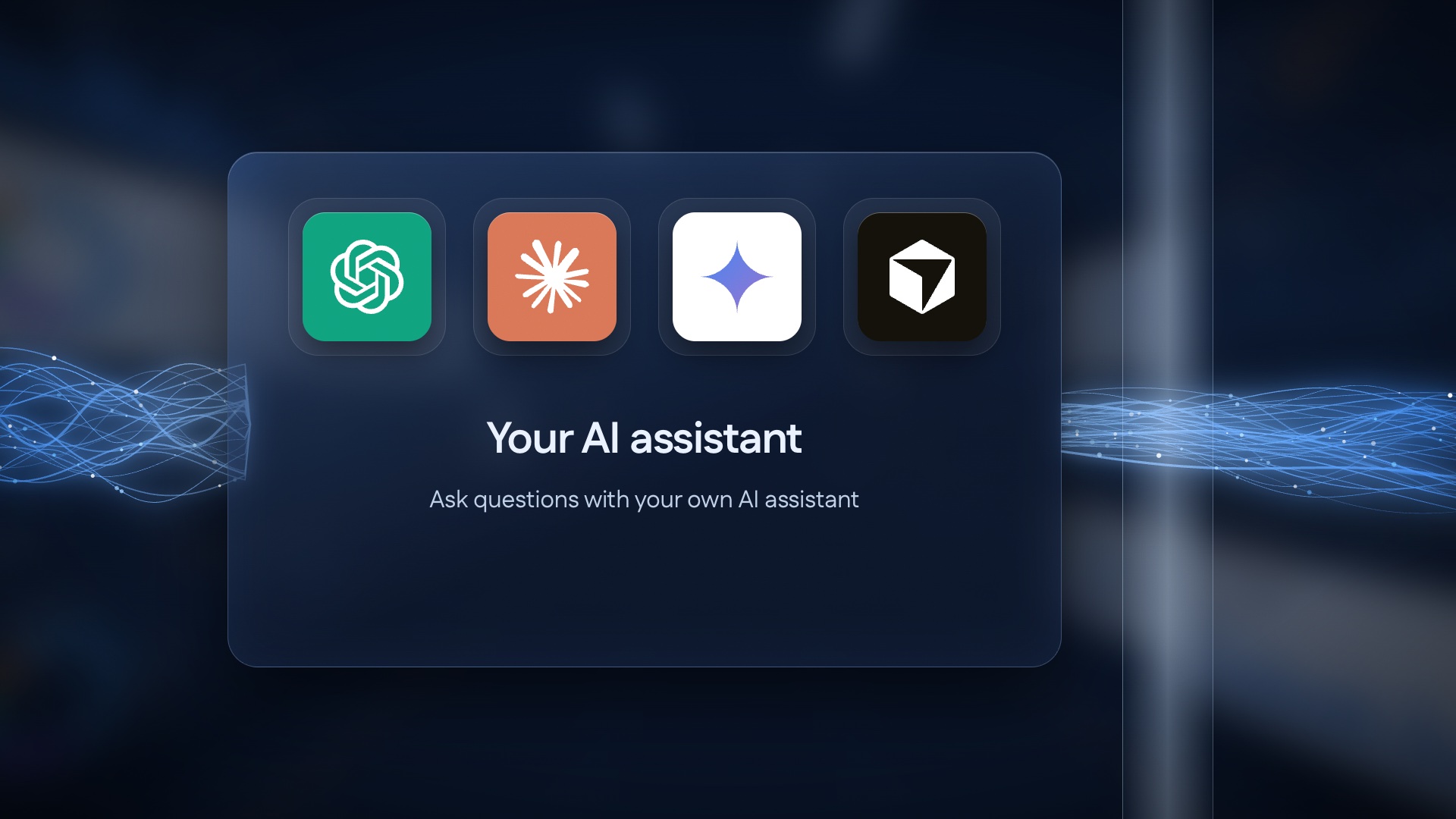
03C: Your AI assistant
22.2 to 24.4s
- Visual
- A glass panel with ChatGPT, Claude, Gemini and Cursor tiles, "Your AI assistant" and "Ask questions with your own AI assistant".
- Motion
- The stream arrives from the left and the tiles light up left to right, on "your preferred AI assistant".
- Out
- The camera follows the stream right, past a glass pillar.
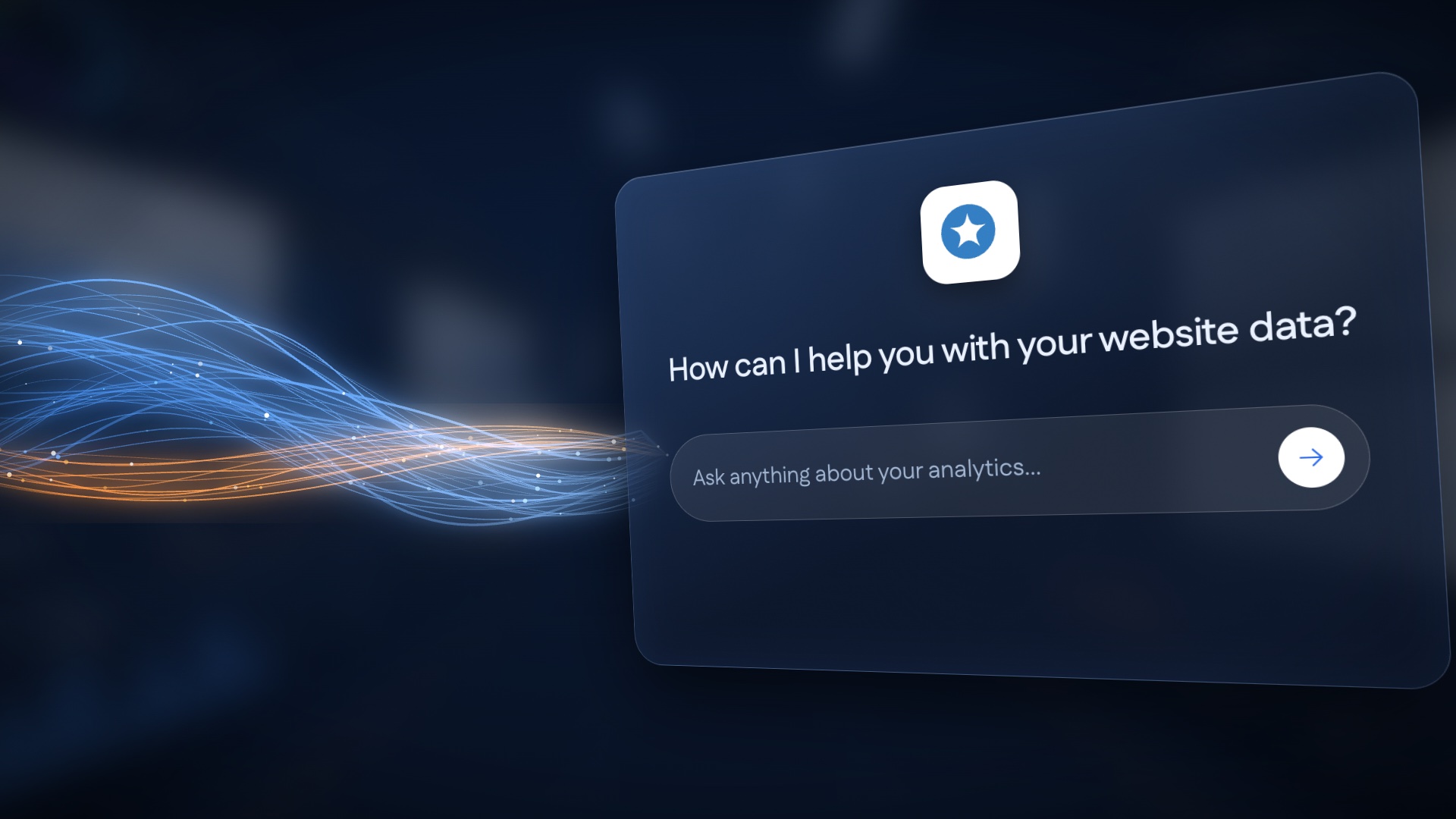
03D: Into the conversation
24.4 to 26.0s
- Visual
- The stream flows into a tilted glass chat panel: "How can I help you with your website data?" and the field "Ask anything about your analytics…".
- Motion
- The panel turns from -24° to face the camera (the signature transition), and the stream's light soaks into its edge.
- Out
- The panel fills the frame, and the first question types in (04A).
Scene 04 · 00:26–00:38
Just Ask Your AI
Voiceover"Now, just ask your AI. What's driving traffic? Why are clicks dropping? Which pages should I improve?"
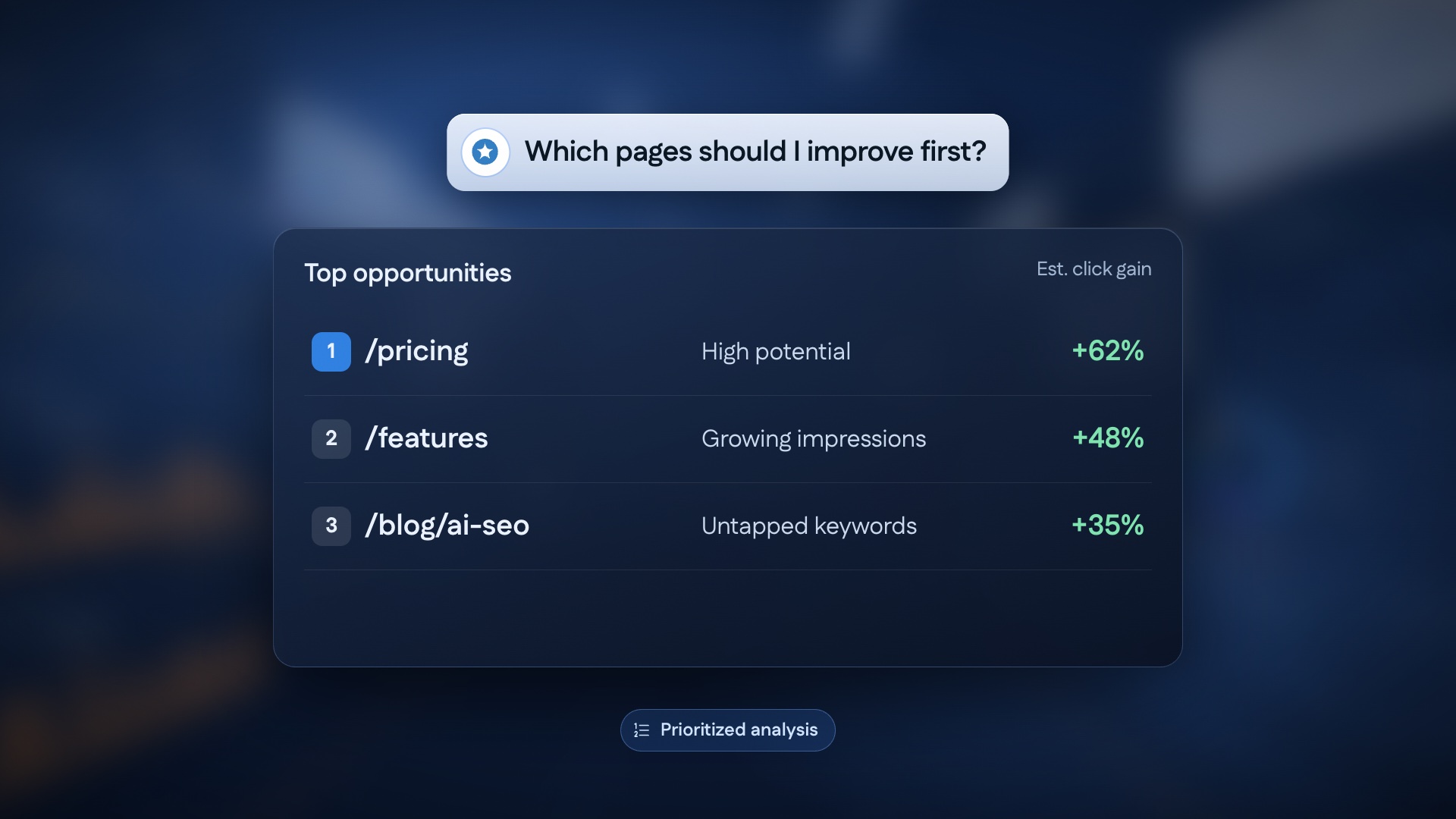
What's driving traffic to my website?Why are my search clicks dropping?Which pages should I improve first?
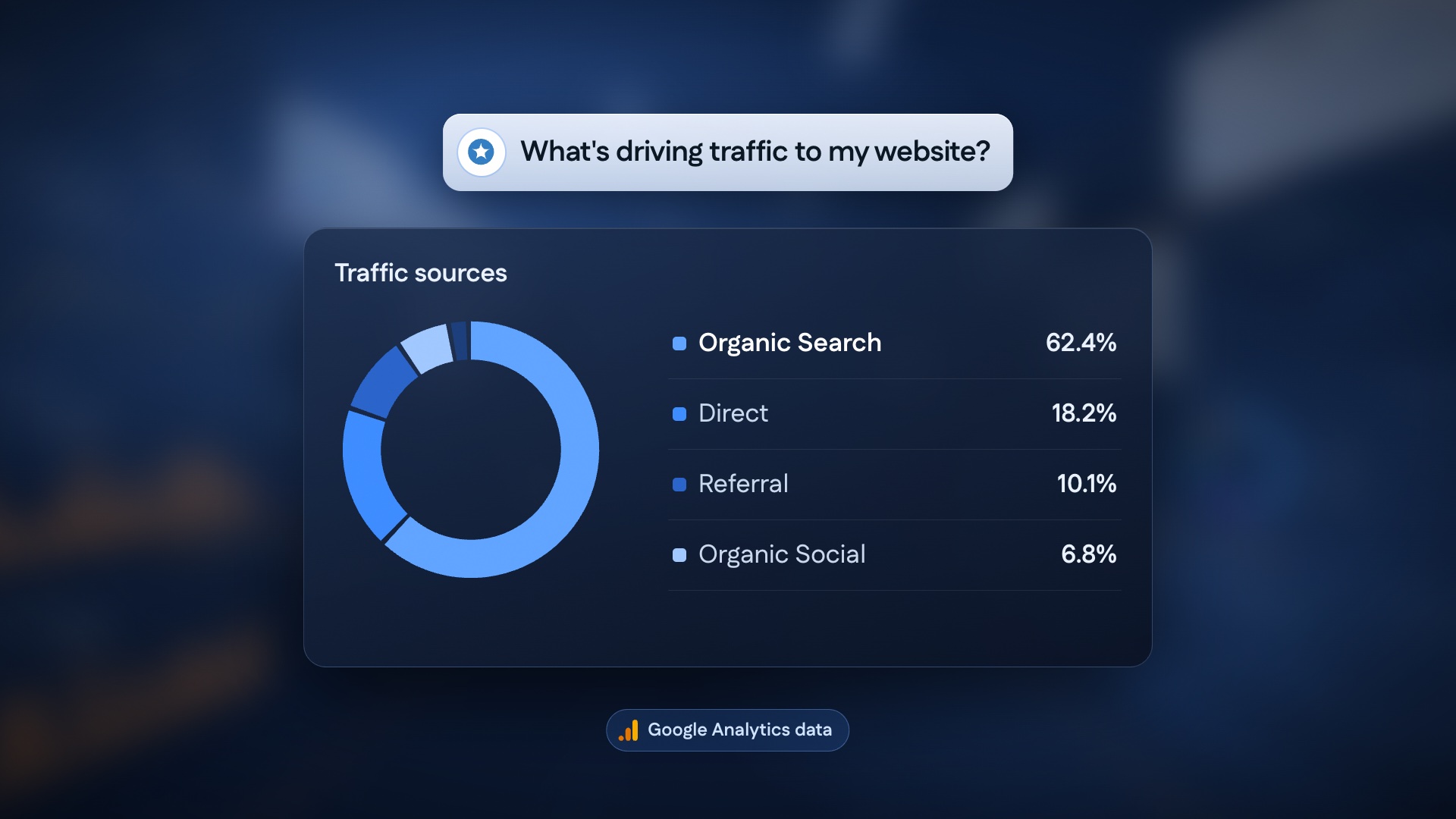
04A: Question 1
26.0 to 30.0s
- Visual
- A question pill, then a dark glass Traffic sources card: a donut chart with Organic Search 62.4%, Direct 18.2%, Referral 10.1% and Social 6.8%. Tag: Google Analytics data.
- Motion
- The question types in and sends. The card rises out of the pill. The donut sweeps clockwise and the rows count up.
- Sound
- Typing, then an "analysis done" tick.
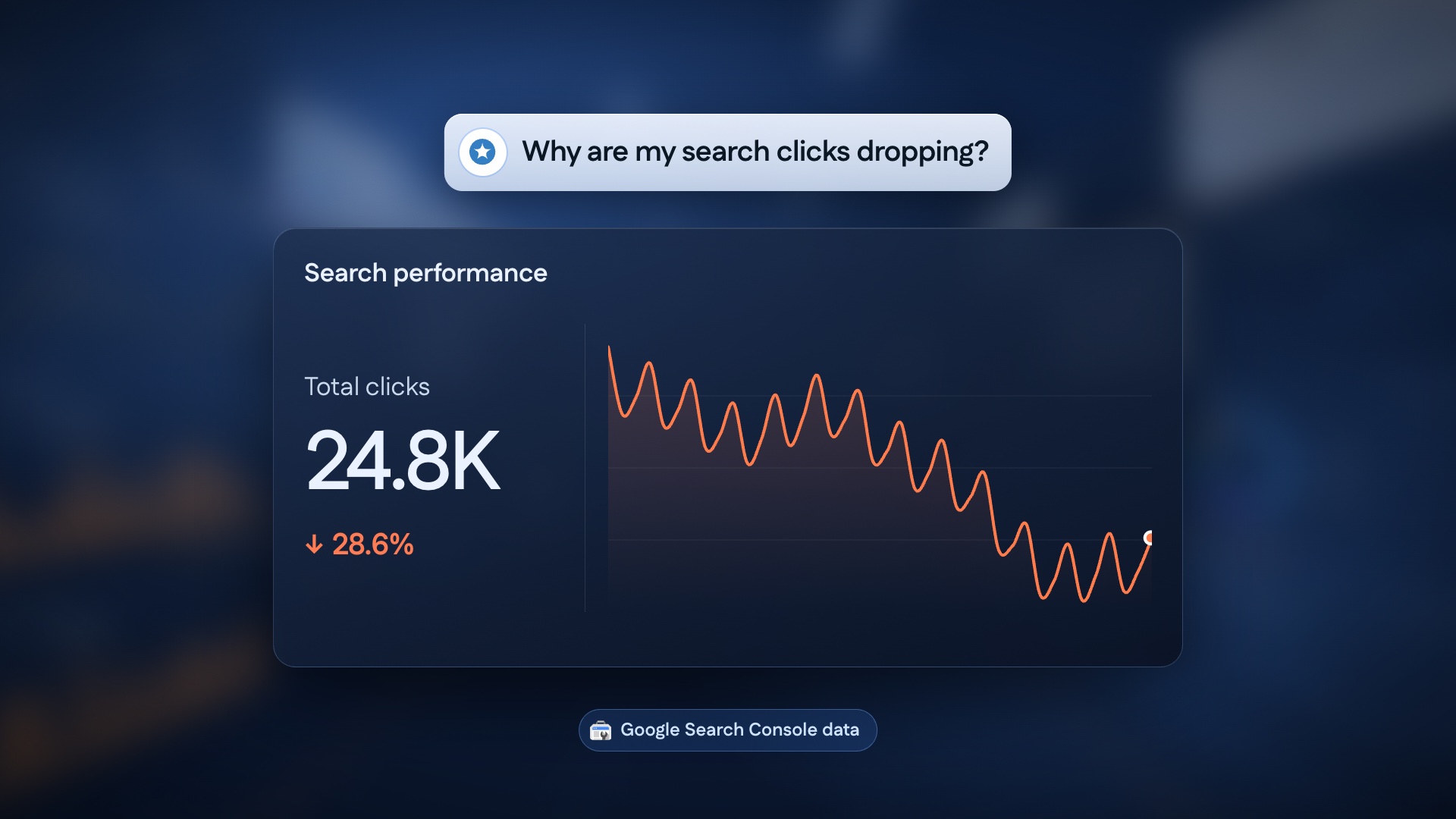
04B: Question 2
30.0 to 34.0s
- Visual
- A Search performance card: Total clicks 24.8K, ↓ 28.6%, with a falling orange line. Tag: Google Search Console data.
- Motion
- The donut morphs into the line chart (same card, new content). The line draws down and the number counts down.
04C: Question 3
34.0 to 38.0s
- Visual
- Top opportunities: /pricing (High potential, +62%), /features (Growing impressions, +48%) and /blog/ai-seo (Untapped keywords, +35%). Tag: Prioritized analysis.
- Motion
- The rows drop in 1-2-3 with a spring. Row 1 glows.
- Out
- /pricing lifts out of the list toward the camera.
Scene 05 · 00:38–00:47
From Answers to Action
Voiceover"Get meaningful insights and clear recommendations, without digging through another report."
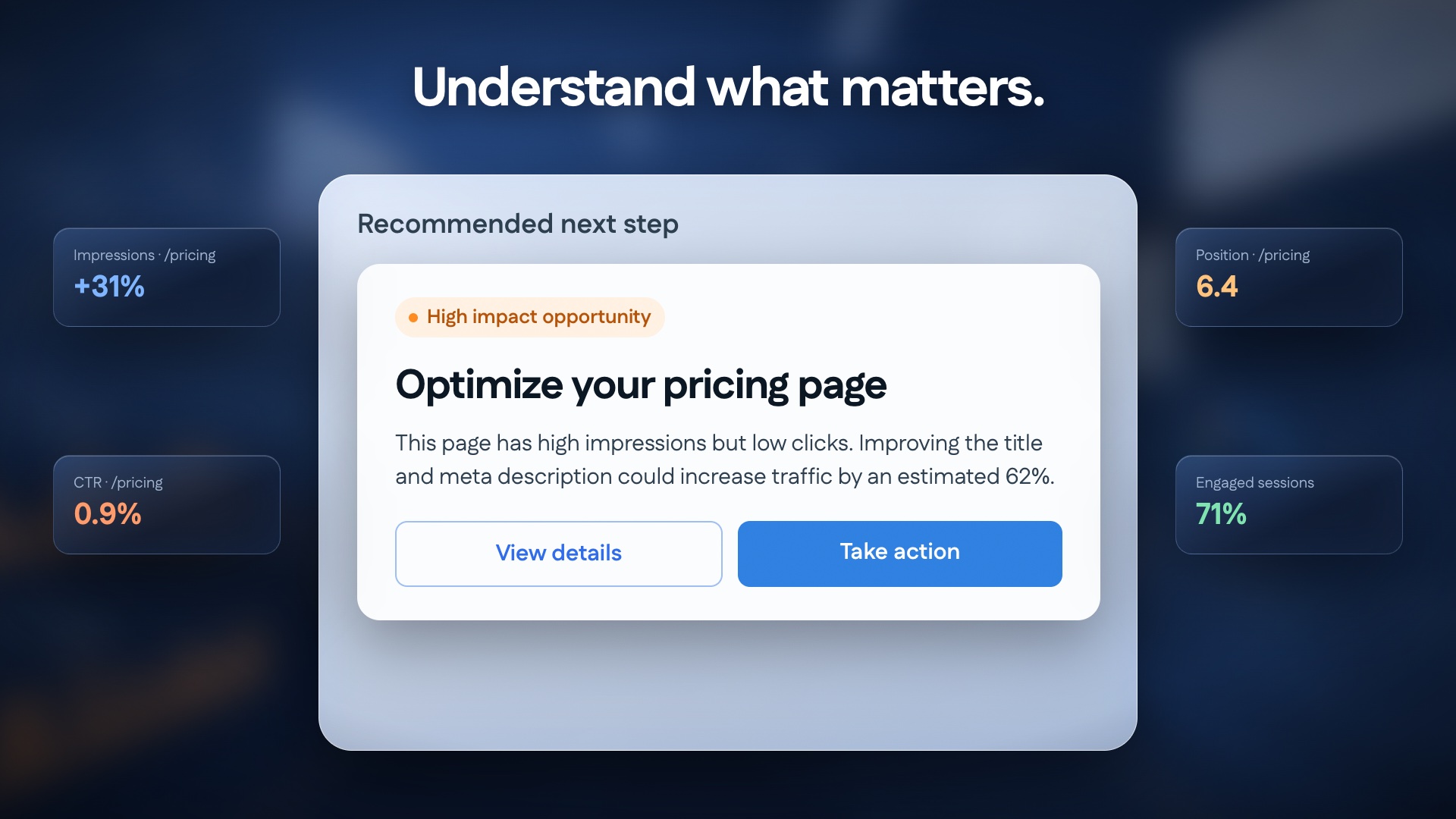
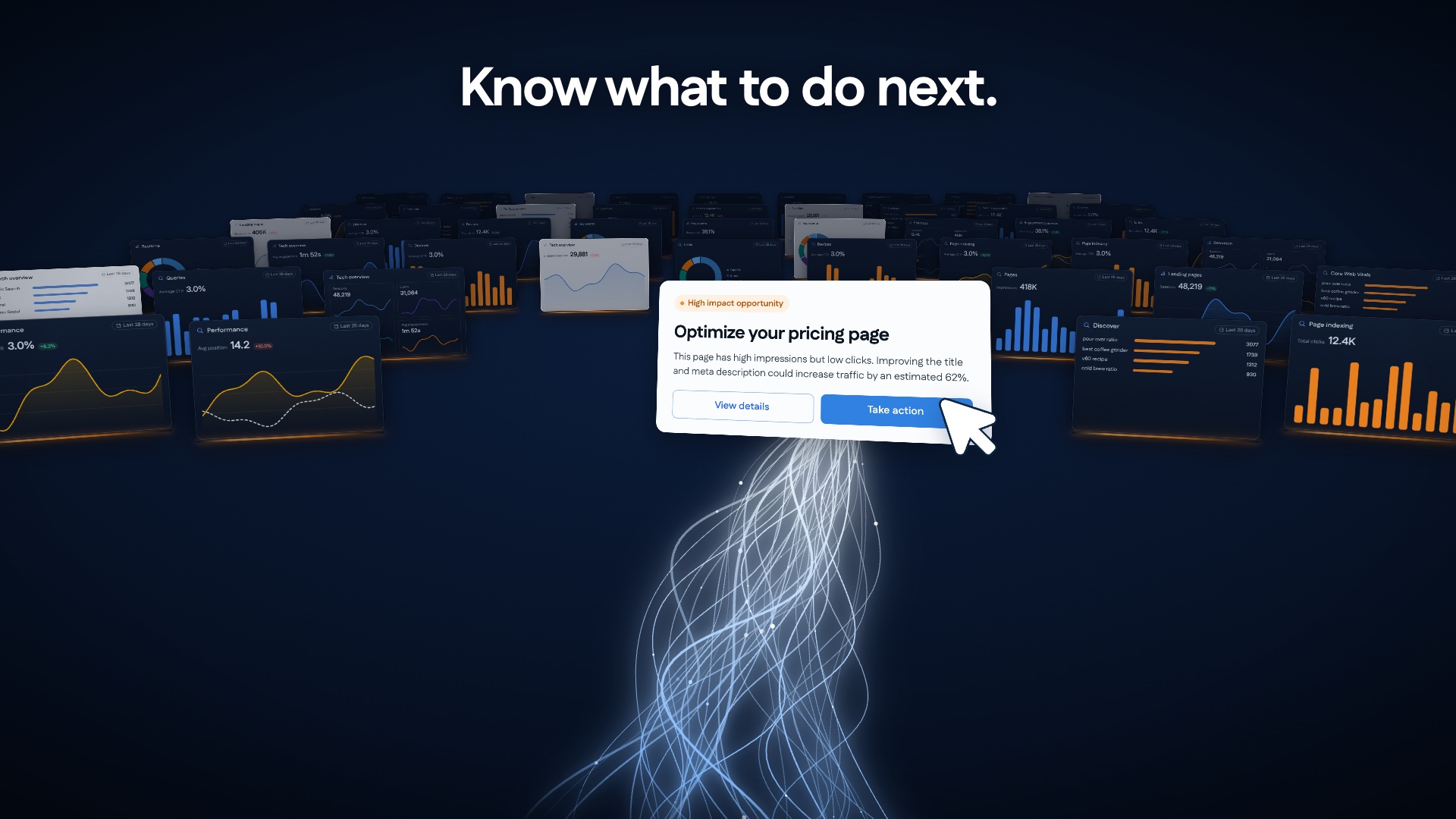
Understand what matters.Know what to do next.
05A: Actionable recommendation
38.0 to 42.5s
- Visual
- A frosted "Recommended next step" panel. Inside it is a white card: High impact opportunity, Optimize your pricing page, the reason in one sentence, and View details / Take action. Four small evidence cards (impressions, CTR, position, engagement) sit at the sides.
- Motion
- /pricing expands into the card. The evidence cards fly in and dock, then fade out as the card settles. "Understand what matters." blurs up.
1:1: evidence cards sit above and below the card instead of at the sides.
05B: From complexity to clarity
42.5 to 47.0s
- Visual
- The camera pulls back. The card is small and bright in front of rows of monitors, and the cursor clicks Take action. A white light stream rises from the floor into the card.
- Motion
- A slow pull back with the monitors dimming one row at a time. "Know what to do next." blurs up, and the click lands on "report".
- Sound
- The music opens out.
Scene 06 · 00:47–00:55
The Brand Reveal
Voiceover"Less clicking. Less searching. More clarity. MeasureScale. Your data, connected to your AI."
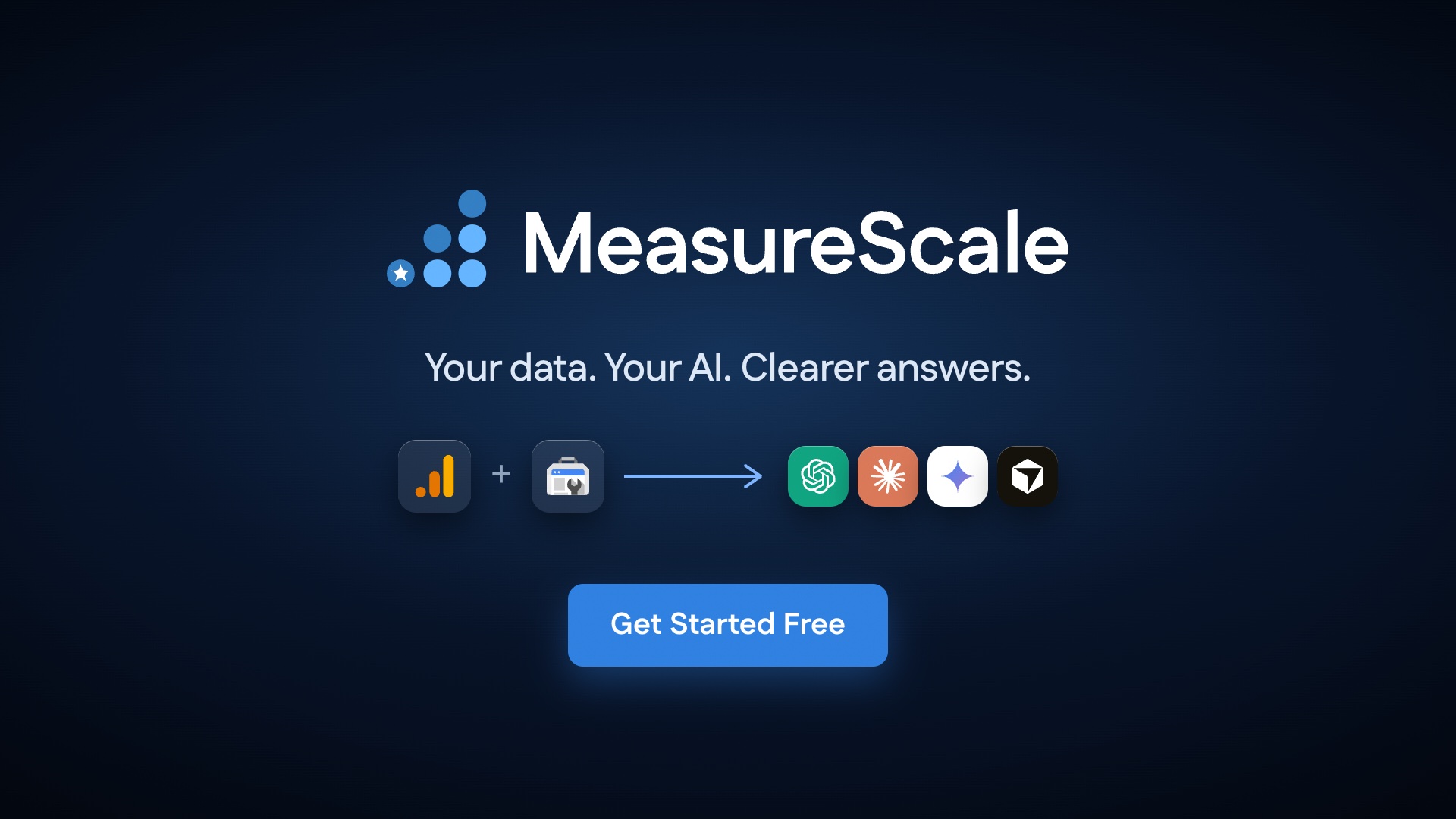
MeasureScaleYour data. Your AI. Clearer answers.Get Started Free
06A: The streams converge
47.0 to 50.5s
- Visual
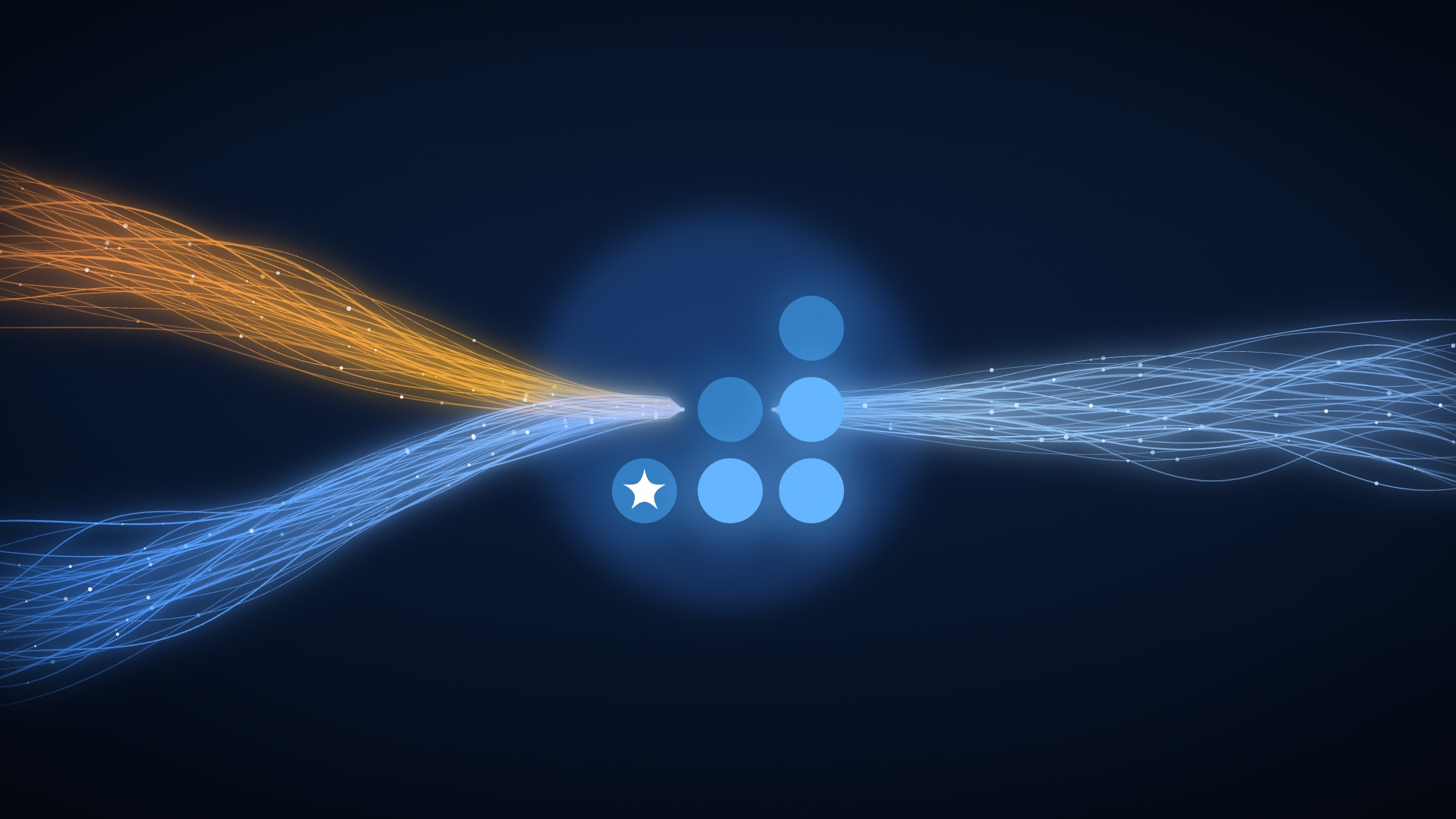
- The monitors are gone. Orange and blue streams from the left and a blue stream from the right converge into the six logo dots.
- Motion
- The dots light up on "Less clicking", "Less searching" and "More clarity", two per phrase. The streams thin out as complexity drops away.
06B: Final frame
50.5 to 55.0s
- Visual
- The logo with a white wordmark, "Your data. Your AI. Clearer answers.", the ecosystem line (GA + GSC → ChatGPT, Claude, Gemini, Cursor) and Get Started Free.
- Motion
- The mark slides left and the wordmark wipes in on "MeasureScale" (about 50.6 s). The tagline, then the ecosystem row, then the button arrive by 52.3 s. A static hold of 2.7 s.
- Sound
- The final chord rings out.
Fact check against the live site
| In the film | Status | Note |
|---|---|---|
| ChatGPT, Claude, Gemini and Cursor tiles | Matches | The site lists Claude, ChatGPT, Gemini, Cursor and Claude Code. Copilot was removed. |
| GA and Search Console logos | Confirm | The site already shows both. The lookalike tool screens need a brand sign-off (decision 2). |
| Get Started Free | Check | The button exists on the site. The free plan is Search Console only (decision 4). |
| All numbers, queries and pages | Example data | From your board, made consistent (clicks ↓ 28.6% everywhere, /pricing +62% in both 04C and 05A). |